Protected Case Study

Enter the password to view this case study.

← Back to Portfolio

OpenGov · Capital Design System

Platform Design w/ Claude

I turned a design system into a development platform that ships AI agents to production teams.


36+

Components

17

Patterns

9

AI Components

WCAG AA

Accessibility

The bet

OpenGov ships software to thousands of governments. The design system existed, but only as a reference. I bet on rebuilding it as a platform: tokens, patterns, validation, and agent tooling owned by one team and used by every product.

Here is the arc that bet has taken so far.

Phase 1: One design system, one source of truth

I unified a fragmented design system on a single MUI and React theming foundation. Versioned tokens, consistent components, and a Patterns Figma that covered every part of the UI.

With one foundation in place, the system stopped being a reference and became something the org could actually build with.

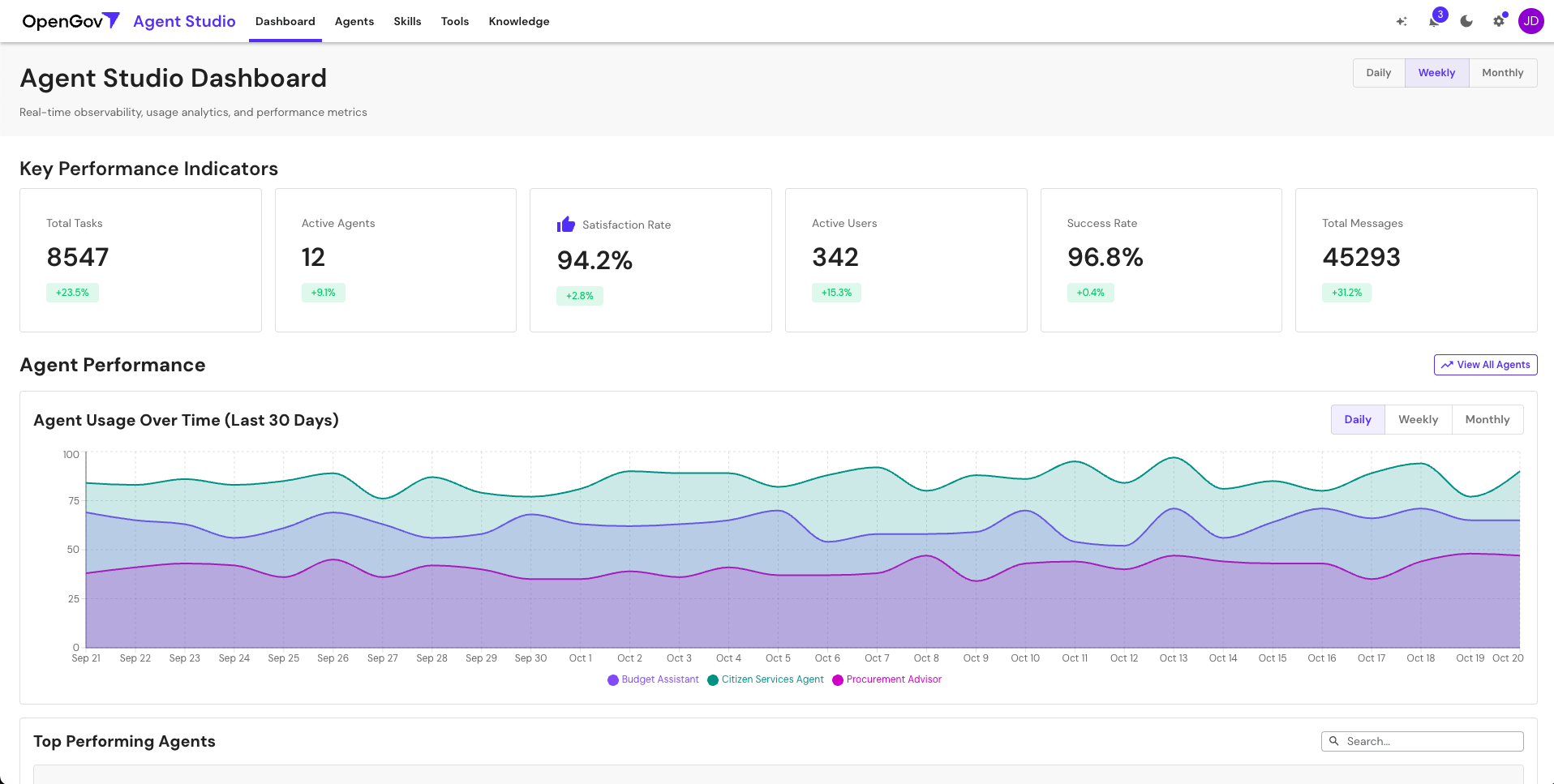
Agent Studio dashboard

Agent Studio, the AI agent management surface, built entirely on the unified system.

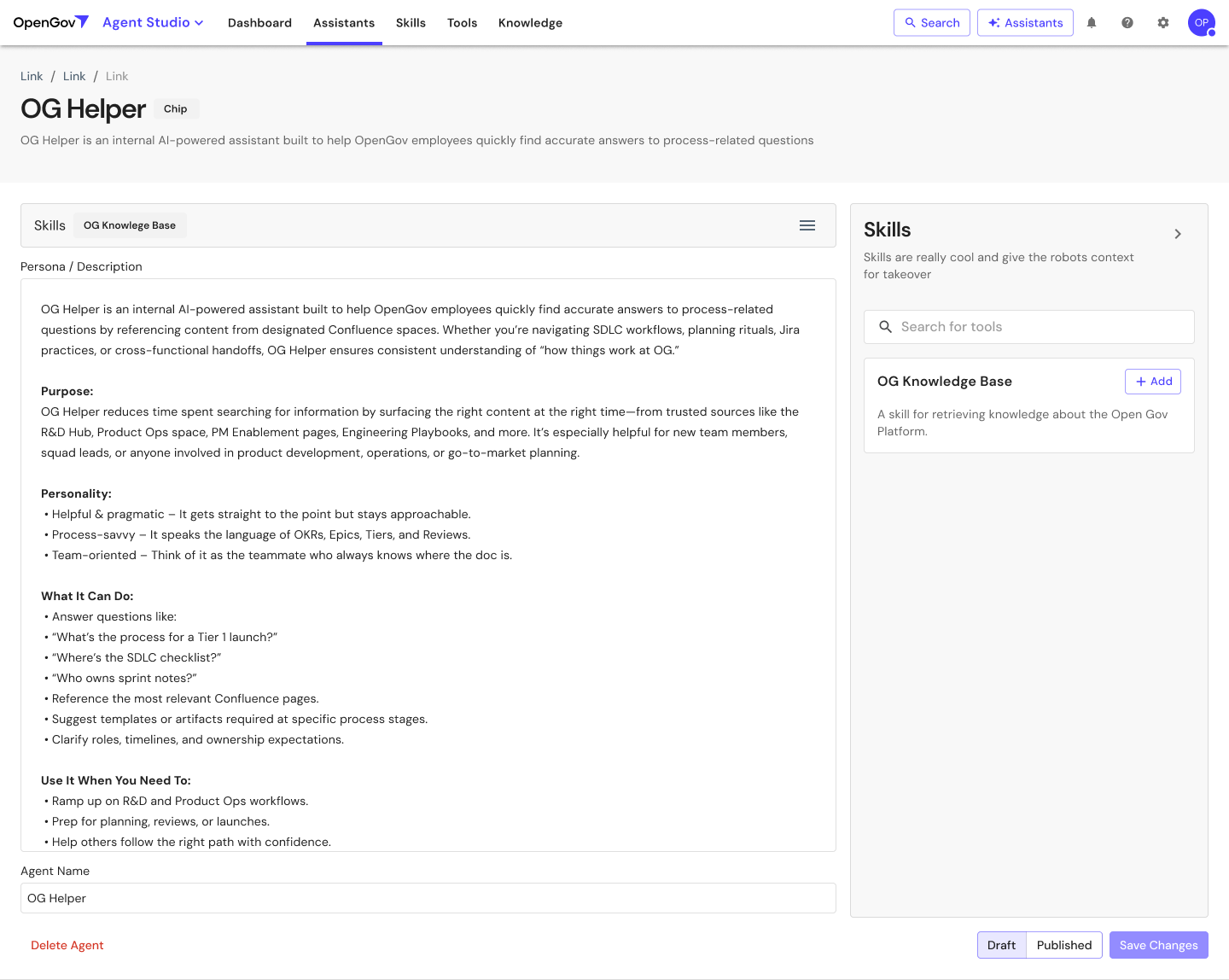
Agent detail configuration

Detailed agent configuration. Form patterns, tabs, and content organization all came from the system.

Phase 2: Patterns, layouts, and 20+ teams trained

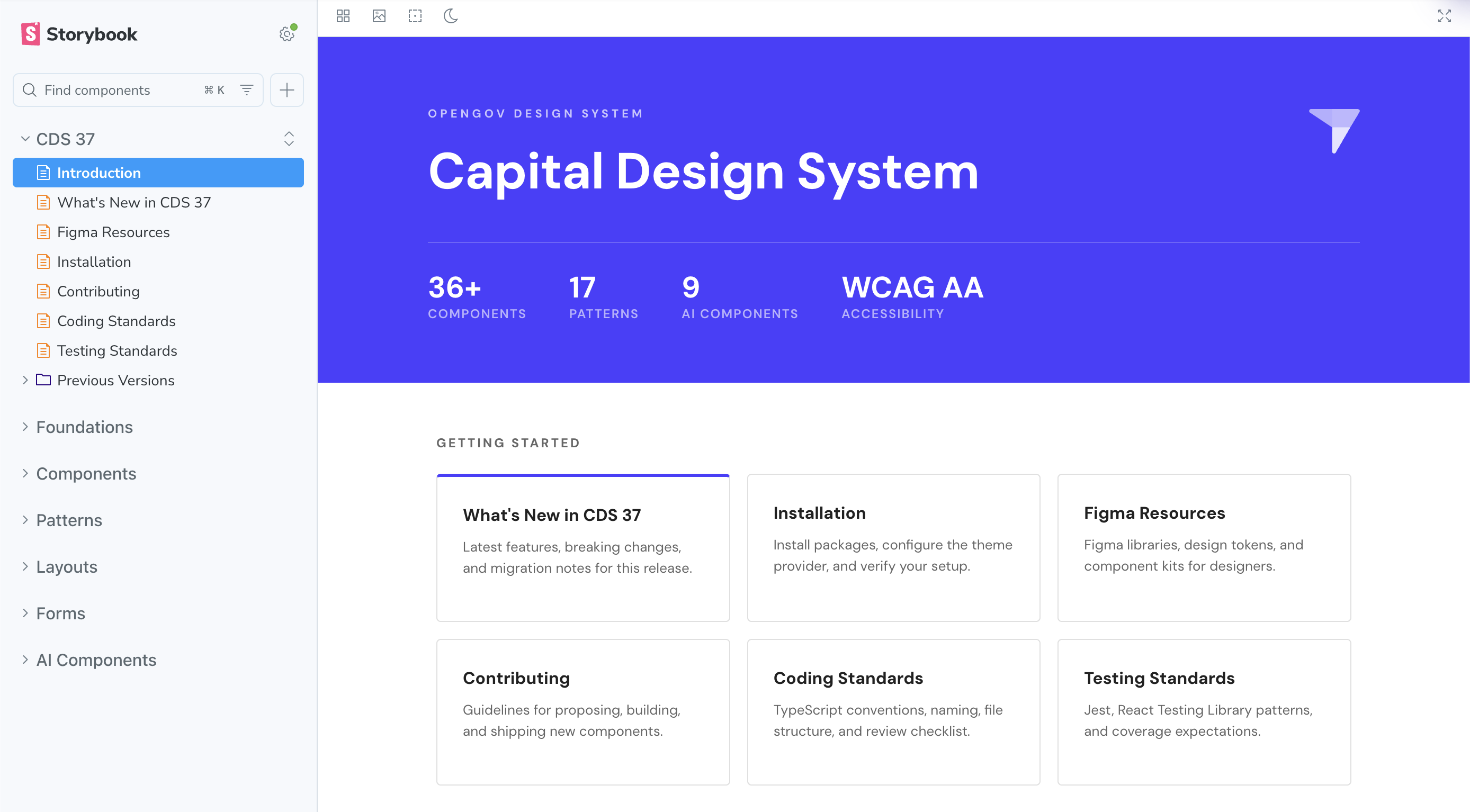
Next I built out a library of patterns and layouts on top of the foundation. I moved everything from Figma into Storybook, so the system itself became the documentation. Components, patterns, layouts, forms, and AI components all live in one shelf.

Then I trained 20+ designers and engineering teams to compose against it. The library stopped being a reference and became something teams actually built with.

Capital Design System Storybook landing

The Storybook landing page. One source of truth for components, patterns, layouts, and AI components across every product.

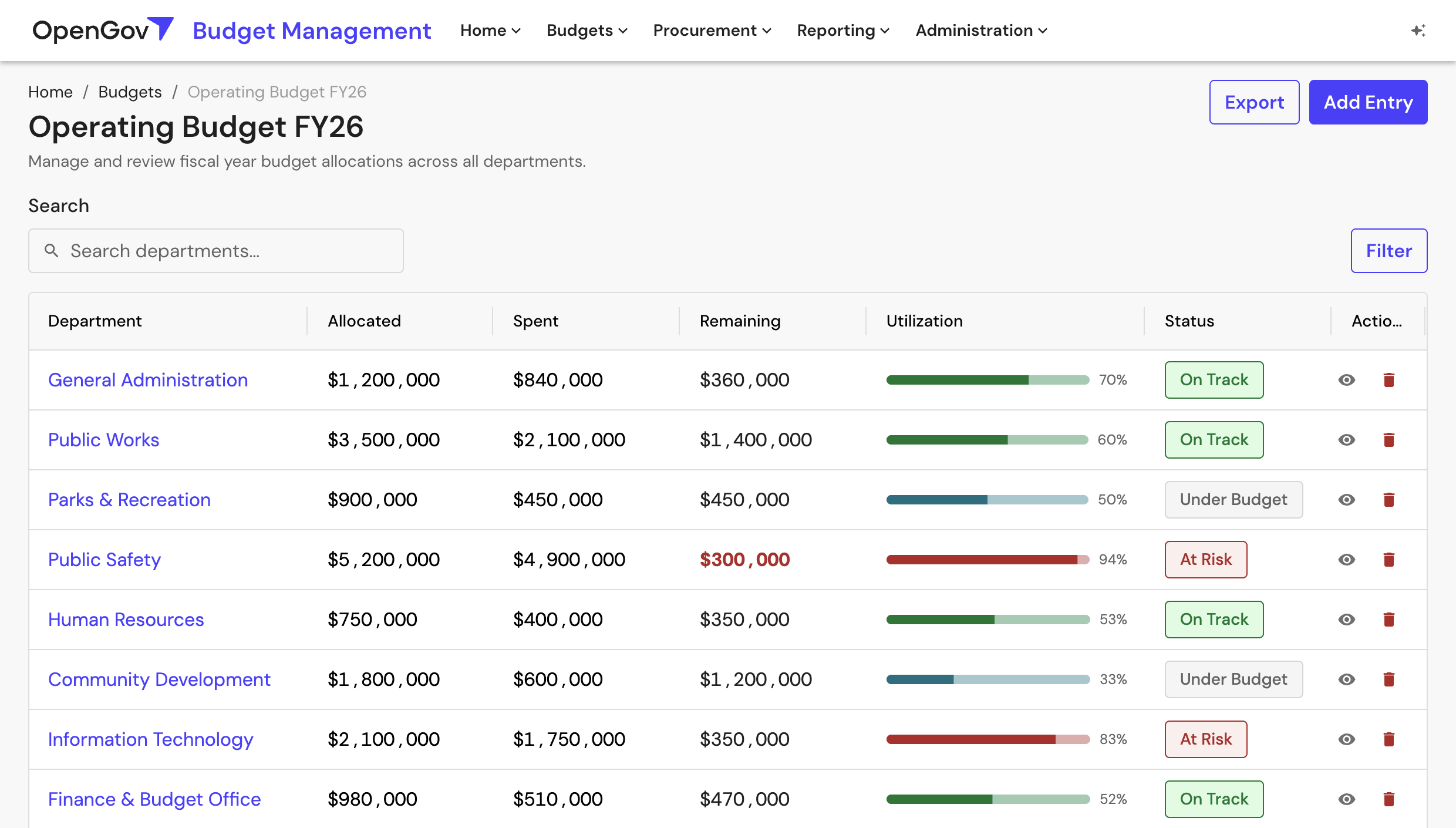
The most visible piece is BaseLayout, a page-level scaffold every product surface composes against. App chrome, breadcrumbs, page header, and content region all in one shippable layout.

BaseLayout in production: Operating Budget FY26

BaseLayout in production: Operating Budget FY26. App nav, breadcrumbs, page header, and content region all come from one design system layout.

Walkthrough of the Storybook overhaul and BaseLayout, built and refined with the front-end agent.

Phase 3: Bringing Claude Code to the company

I pioneered company-wide adoption of Anthropic and Claude Code. Once teams had agents that could read the codebase and propose changes, the design system stopped being a passive library. It became a substrate that agents could compose against.

That unlocked the next two phases: a prototyping agent for designers and PMs, and a front-end agent for production code.

Phase 4: A prototyping agent for designers and PMs

I shipped a prototyping agent built on Claude Code. It runs on the same design system code that ships in production, so the output is real, not mockups.

200+ prototypes in the first two months. Most were authored by designers and PMs without an engineer, and engineering teams used them as a reference for the production work.

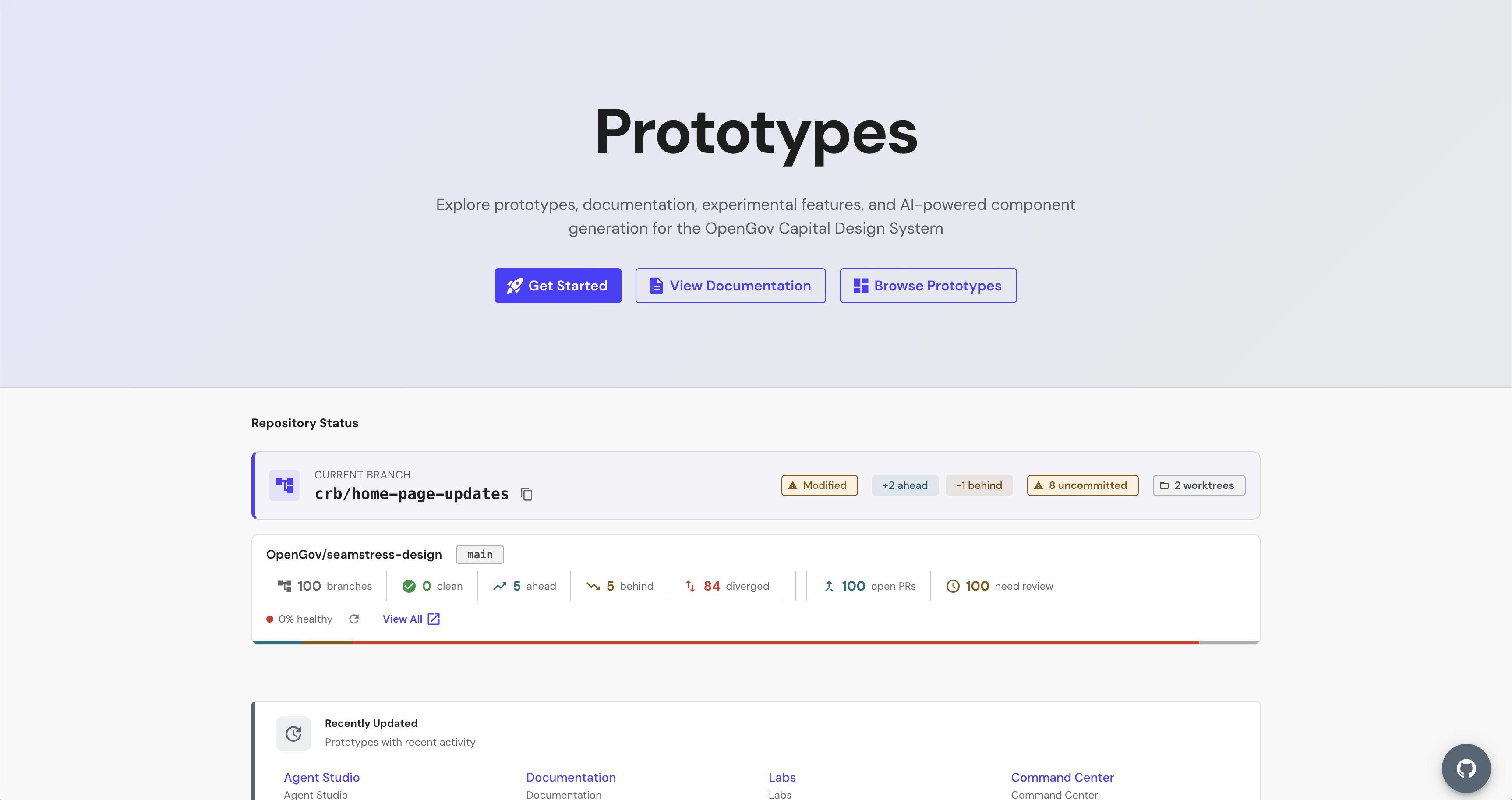
Prototyping agent landing page

The prototyping repo, running on the production design system. Worktree-aware, repo-status-aware, with AI component generation built in.

Phase 5: A front-end agent for production code

I built a front-end agent, a Claude Code plugin that generates production-level frontend code using the design system packages. Designers and engineers use it to scaffold new projects and ship features grounded in the system from day one.

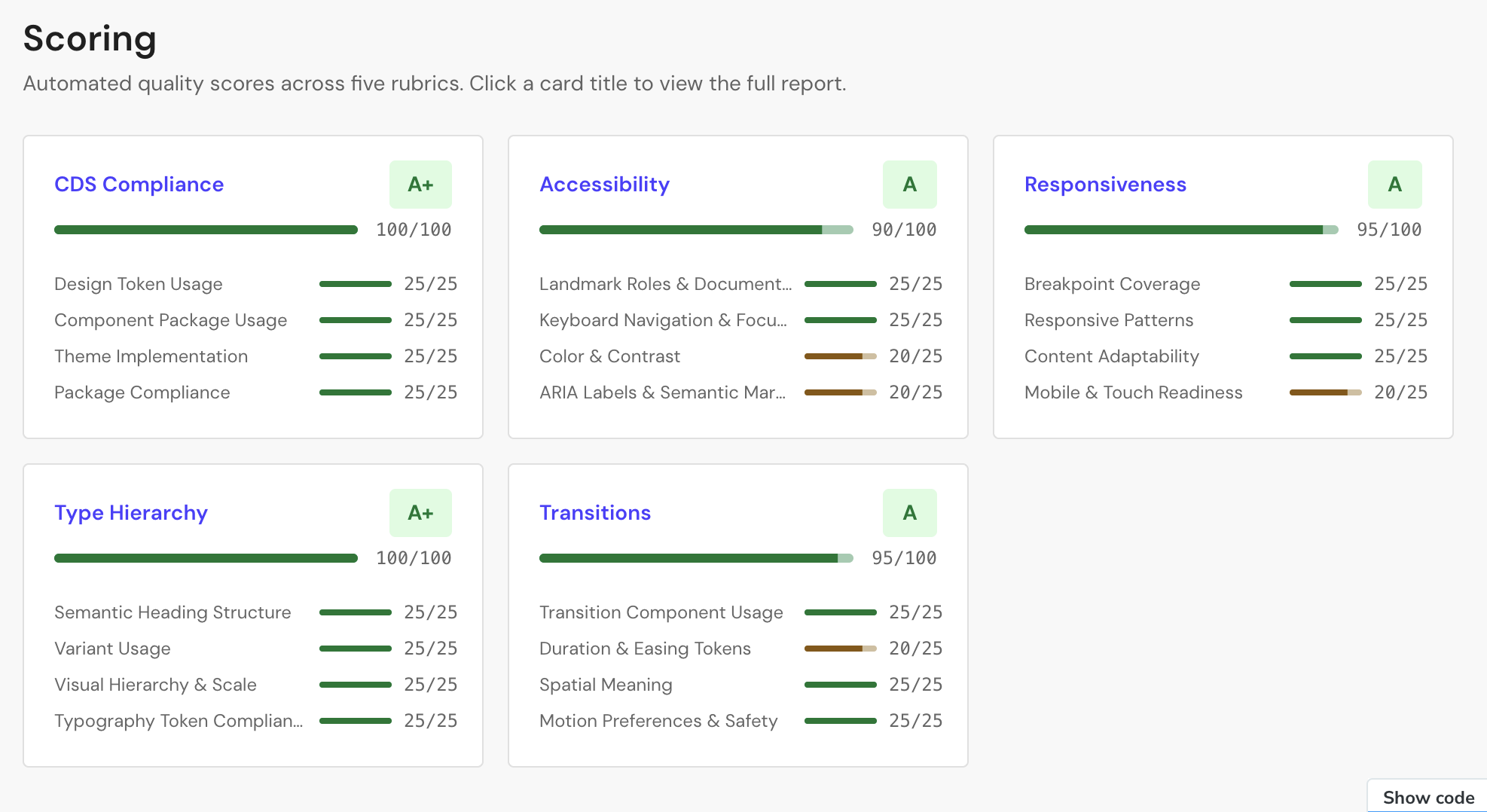
The same agent also audits any production repo against five rubrics: design system compliance, accessibility, responsiveness, type hierarchy, and motion. Each rubric breaks down into specific criteria with point-level scoring, so failures are actionable, not binary.

Front-end agent scoring report

A scoring report from the agent. Five rubrics, twenty criteria, letter grades on each. Specific deductions are surfaced for review or auto-fix.

The agent ships through Claude Code's plugin network. Teams install it once and every PR gets agentic enforcement: automatic scoring, automatic fixes when the agent can resolve them, and flags for the ones that need a human.

The system in production

Government work happens in documents: RFPs, ITBs, permits, budget books, compliance reviews, staff reports. The tools governments use to produce them are text editors with file folders. They don't understand the structure of the work.

I redesigned the experience around the document itself. Each common government workflow has an artifact definition: structured sections, status, validation rules, required attachments. The product knows what an Invitation to Bid is, what a Permit Application needs, what makes a Compliance Review complete.

Then I made AI the primary interaction. OG Assist is the workspace, not a chat sidebar bolted onto it. Users draft, review, fill in missing sections, and get suggested next steps by talking to the agent. The artifact definition gives the agent the ground truth it needs to be useful.

Every part of this product ships on the design system, the front-end agent enforces it, and the prototyping agent is how the team explored it.
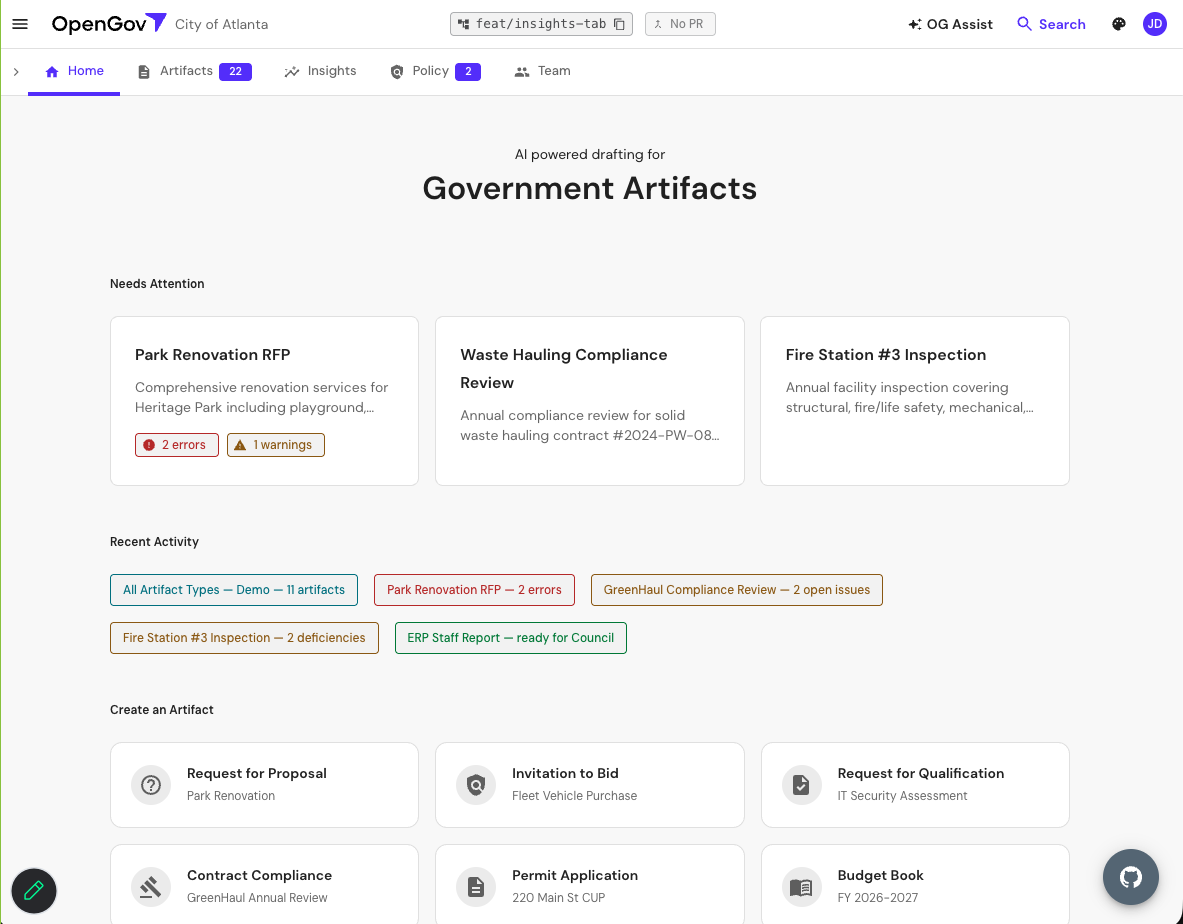
Government Artifacts home

The workspace home. Needs Attention surfaces what's stuck, Recent Activity tracks the work in flight, and Create an Artifact exposes the full catalog of workflows the system knows how to drive.

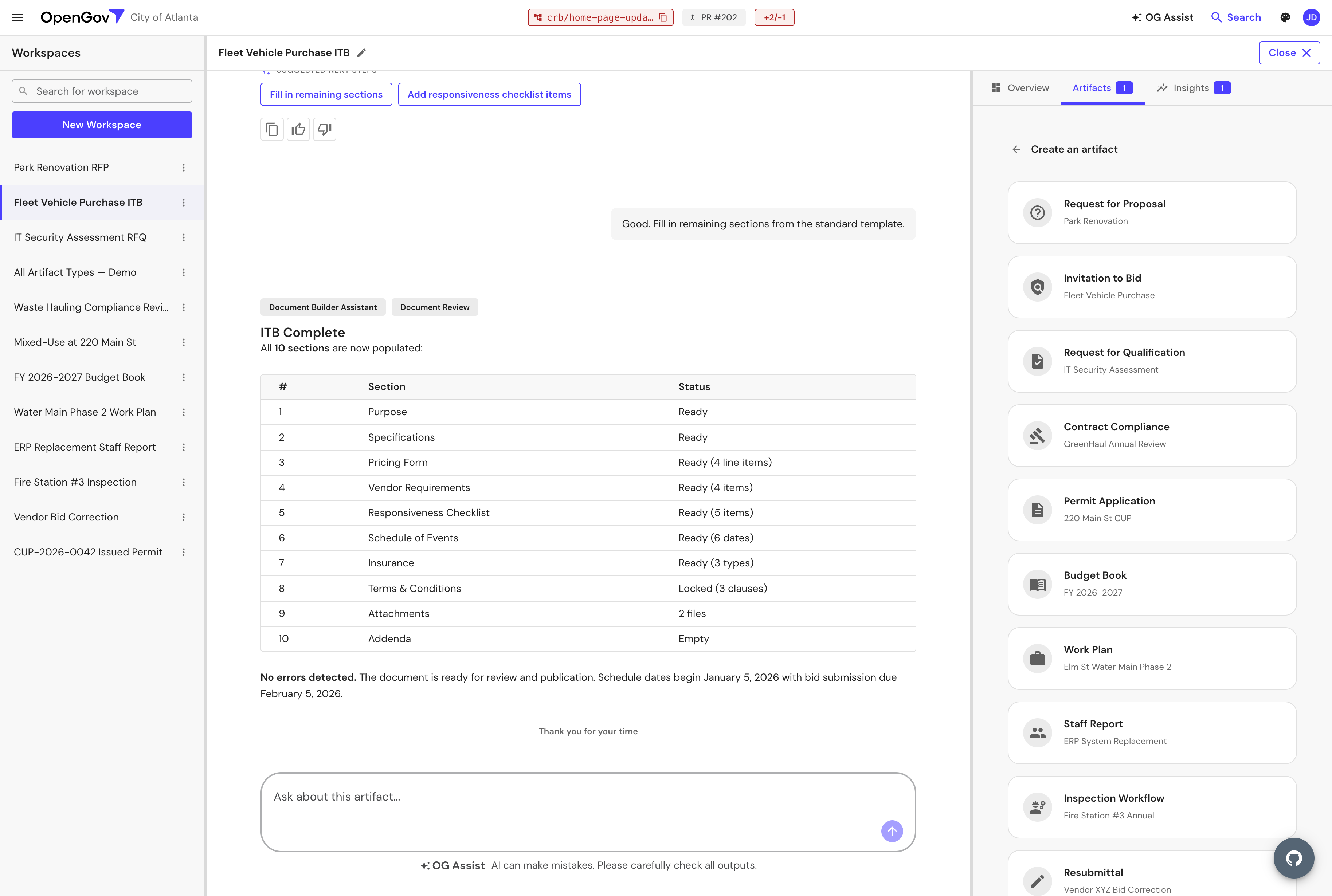
Fleet Vehicle Purchase ITB workspace

One artifact in detail: a Fleet Vehicle Purchase ITB. Structured sections on the left, OG Assist on the right as the primary interaction surface. Suggested next steps come from the artifact definition.

What's next: bypassing Figma

The piece I'm working on now: distributing a Pencil file with the design system as a wireframing utility. Designers prompt designs from inside the repo and have them translate directly to production front-end code through the agent.

No Figma round-trip. No translation gap. The design tool and the production code share the same source of truth.

"I turned a design system into a development platform that ships AI agents to production teams."

Building at this intersection?

If you're building AI products, design platforms, or the agent tooling between them, let's talk.